
Workflow
To ensure all content meets MCLA’s accessibility standards and brand styles, web authors submit pages and/or assets to an approver for publishing.
Page Workflow
To submit a page for approval:
1. After making edits, click the "SAVE" button: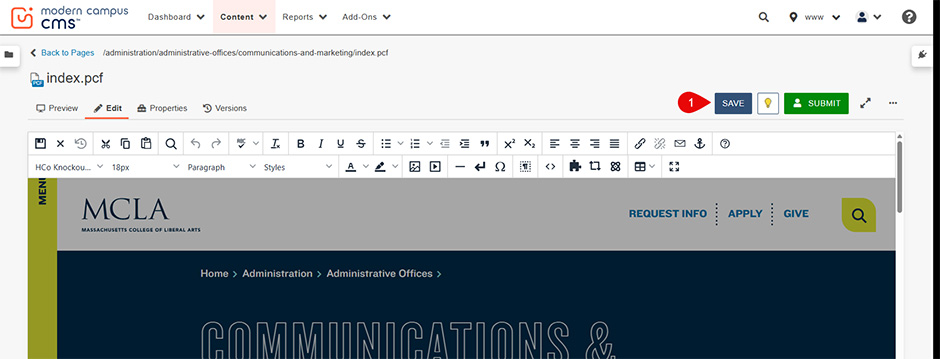
2. Click the "SUBMIT" button to send for approval: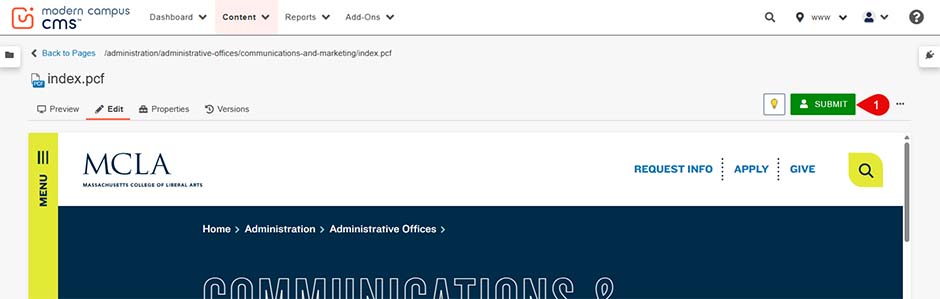
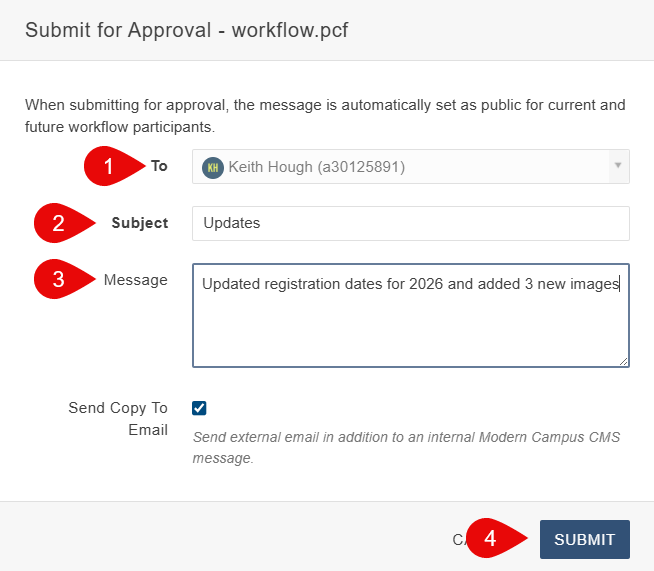
3. Complete the following text fields:
- Approver (defaults automatically).
- Subject line (required).
- Brief description of updates (for example: “Updated 2026 registration dates and added three images”).
- Click the "SUBMIT" button again:
4. You'll receive an email notification once the page has been published, within 72 hours, letting you know that:
- your edits are now live
or - additional edits are needed.
Our goal is same-day publishing. If additional edits are needed, you’ll be notified by email. For urgent requests, email keith.hough@mcla.edu.
Note: Content may be edited for brevity, AP style and MCLA branding.
Asset Workflow
To submit an asset (image, document) for approval:
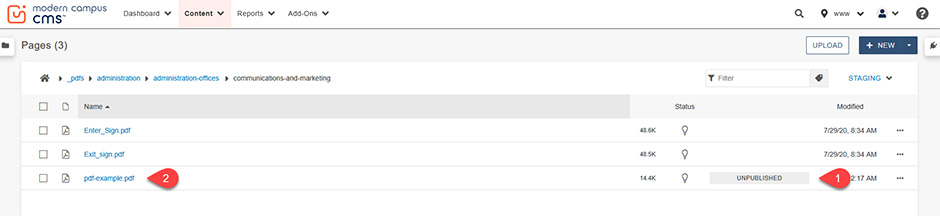
1. After uploading the asset, the asset will show as (1) "Unpublished". Click on the name of the (2) asset:
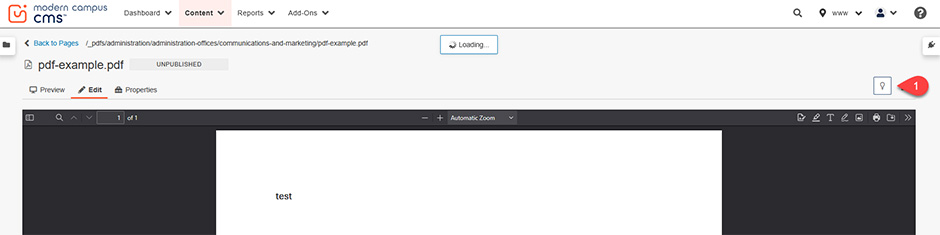
2. Click the "Check Out" icon:
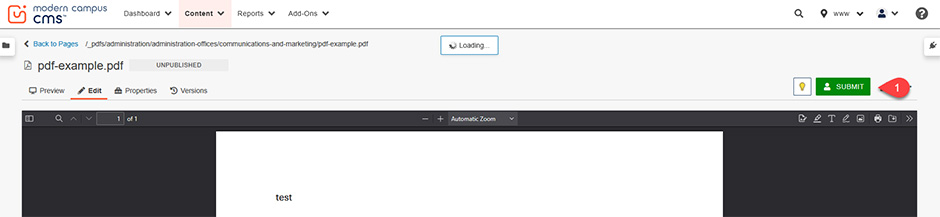
3. Click the "SUBMIT" button:
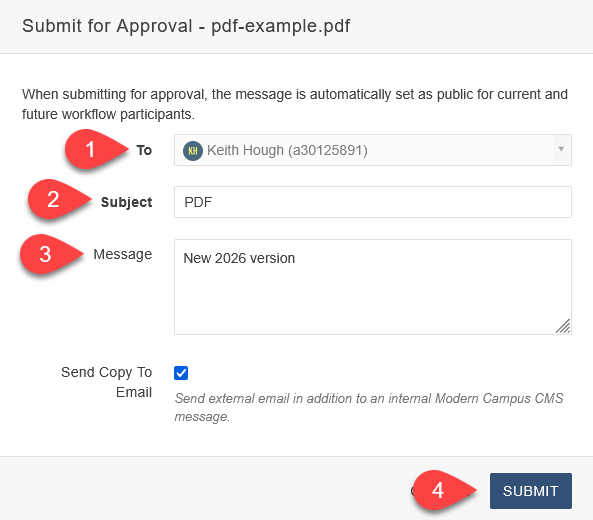
4. Complete the following text fields:
- Approver (defaults automatically).
- Subject line (required).
- Brief description of updates (for example: “New 2026 version”).
- Click the "SUBMIT" button again:
5. You'll receive an email notification once the asset has been published, within 72 hours, letting you know that:
- your asset is now live
or - additional edits are needed (image quality, document issues)
Our goal is same-day publishing. If additional edits are needed, you’ll be notified by email. For urgent requests, email keith.hough@mcla.edu.
Note: Images may be edited for display purposes.